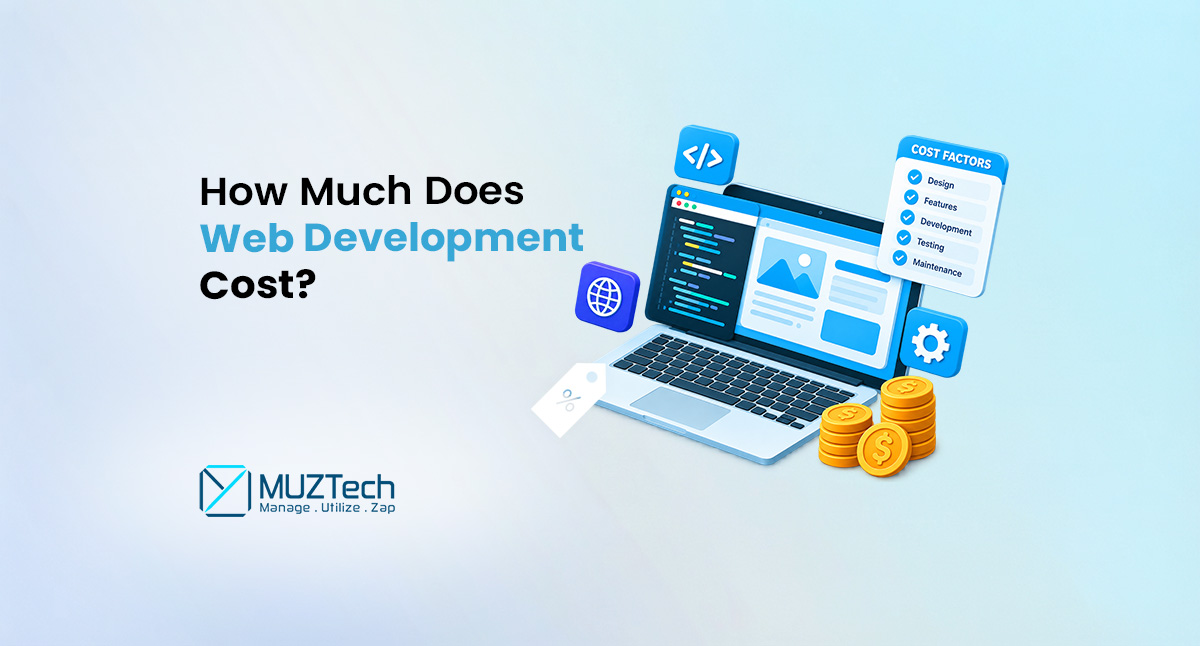
How Much Does Web Development Cost in 2026?
Web development can range from a relatively small investment for a simple business website to a significant investment for a complex web application. The difference is not just the number of website pages. Website Design (UI/UX), functionality, technology (Techstack), integrations, security protocols, infrastructure, development expertise, and ongoing website maintenance and support can all affect the final cost.
In 2026, businesses also need to consider artificial intelligence. AI chatbots, intelligent search, automation, personalization, recommendation systems, and AI-powered applications can create new opportunities, but they can also introduce additional development and operational requirements.
There is no single fixed price and technical expertise that apply to every website, including customized or WordPress. A five-page business website, an e-commerce store, and a custom SaaS application are fundamentally different development projects.
This guide explains the major factors that affect web development costs, the differences between WordPress and custom development, the costs of different website types, AI development, development approaches, ongoing expenses, career opportunities, common drawbacks, ways to improve project value, and how businesses can make better development decisions.
What Determines Web Development Costs?
The cost of website or product development depends primarily on what you are building and what the business website or application needs to accomplish.
A simple informational website may require limited design and development work. A custom web application may require frontend and backend development, databases, authentication, APIs, dashboards, cloud infrastructure, testing, security, and ongoing maintenance.
Current pricing guides show substantial variation in website development costs, particularly for different project types and development approaches. This variation reinforces the importance of comparing project scope rather than comparing headline prices alone.
Instead of asking only, “How much does a website cost?”, businesses should ask:
- What type of website do we need?
- What functionality is required?
- Who will use it?
- What systems need to connect to it?
- How secure does it need to be?
- How much traffic will it handle?
- Will it need to scale?
- Will AI be part of the solution?
- Who will take care of it after launch?
These questions provide a much more realistic basis for estimating cost.
What Factors Affect Web Development Cost?
Two websites can look visually similar from the outside while requiring completely different levels of functionally and development work.
Website Type and Complexity
The type of project is one of the biggest cost factors.
A basic business website and application may primarily provide information about a company and its services. A web application may need user accounts, databases, dashboards, APIs, and multiple levels of access.
The more functionality a project requires, the more development, testing, and maintenance it generally needs.
Number of Pages and Content
The number of pages can affect development effort, but it should not be treated as the only measure of cost.
A 20-page website using a consistent content structure may be easier to build than a five-page website containing highly customized functionality.
Content migration, product information, images, videos, multilingual content, and structured data can also add to project requirements.
UI and UX Design
Design affects more than how a website looks.
A professional development project may include:
- User research
- Information architecture
- Wireframes
- User interface design
- Responsive layouts
- Interactive elements
- Accessibility considerations
- Conversion-focused user journeys
Custom UI and UX work generally requires more effort than using a pre-designed template.
Frontend Development
Frontend development covers the part of a website that users interact with.
It can involve technologies such as:
- HTML
- CSS
- JavaScript
- React
- Angular
- Next.js
- Other frontend frameworks
Complex interactions, dashboards, animations, dynamic content, and responsive functionality can increase development requirements.
Backend Development
Backend development handles the systems that operate behind the user interface.
This can include:
- Business logic
- Authentication
- Databases
- APIs
- Data processing
- User permissions
- Server-side functionality
- Integrations
A website with substantial backend functionality generally requires more development work than a simple informational website.
Database Requirements
Web applications often depend on databases to store and manage information.
Examples include:
- Customer accounts
- Orders
- Products
- Transactions
- Documents
- User activity
- Business records
Database architecture, optimization, security, migration, and ongoing management can all affect project cost.
Third-Party Integrations
Businesses often need websites to connect with external systems.
Common integrations include:
- CRM platforms
- ERP systems
- Payment gateways
- Email marketing tools
- Shipping platforms
- Analytics platforms
- Customer support systems
- External APIs
- Authentication services
Each integration requires planning, development, testing, and ongoing maintenance.
Security Requirements
Security requirements should be considered from the beginning of a project rather than added at the end.
Authentication, authorization, encryption, secure APIs, access controls, vulnerability management, backups, and security testing can all affect development effort.
For web applications, security is particularly important because vulnerabilities can affect users, business data, and operational systems.
Hosting and Cloud Infrastructure
Websites and applications require infrastructure to operate.
Depending on the project requirements, this may include:
- Cloud services
- Servers
- Web hosting
- Databases
- Storage
- Monitoring
- Content delivery networks
- Backup systems
- Deployment infrastructure
A small website may need relatively simple infrastructure, while a high-traffic application may require a more sophisticated cloud architecture.
Testing and Quality Assurance
Testing should be part of the development process.
A professional project may require testing for:
- Functionality
- Mobile responsiveness
- Browser compatibility
- Performance
- Security
- APIs
- User authentication
- Payment processes
- Database operations
More complex applications naturally require more extensive testing.
Custom Web Development vs WordPress: Which Costs More?
One of the first decisions businesses need to make is whether to build their website using WordPress or develop a customized solution.
Both approaches can be effective, but they serve different requirements.
What Is WordPress Development?
WordPress portal is a content management system that allows businesses to create and manage websites using themes, plugins, and customized functionality.
WordPress can be suitable for:
- Business websites
- Blogs
- News and publishing websites
- Portfolio websites
- Service websites
- Content-driven websites
- Some e-commerce businesses
The cost of a WordPress website can vary considerably depending on whether the business uses an existing theme, a customized theme, premium plugins, custom development, or third-party integrations.
Advantages of WordPress Development
Faster Development
Using existing themes, plugins, and WordPress functionality can reduce development time for websites with standard requirements.
Easier Content Management
Businesses can manage pages, blog posts, images, and other content through the WordPress content management system.
Large Plugin Ecosystem
Businesses can access a broad range of plugins for functionality such as forms, analytics, SEO, e-commerce, security, and other requirements.
Flexible Development Options
WordPress can also be customized through custom themes, plugins, integrations, and development work when standard functionality is not sufficient.
Drawbacks of WordPress Development
Plugin Dependency
Websites that rely heavily on third-party plugins can become difficult to maintain if plugins conflict, become outdated, or are no longer supported.
Security and Updates
WordPress websites require regular updates for the core platform, themes, and plugins. Poorly maintained websites can create security and compatibility risks.
Performance Considerations
A website with excessive plugins, inefficient themes, large media files, or poorly optimized code can experience performance problems.
Customization Limitations
WordPress can be customized extensively, but highly specialized business requirements may eventually require custom development.
Maintenance Requirements
WordPress websites still need ongoing maintenance, backups, security monitoring, updates, and technical support.
What Is Custom Web Development?
Custom web development involves creating a website or web application around specific business requirements rather than relying primarily on pre-built themes and plugins.
Custom development can include:
- Custom frontend interfaces
- Custom backend systems
- Database architecture
- APIs
- User authentication
- Business workflows
- Customer portals
- Dashboards
- Third-party integrations
- AI functionality
- Custom automation
This approach can be particularly useful when a business needs functionality that does not fit standard WordPress solutions.
Advantages of Custom Web Development
Greater Flexibility
The development team can design functionality around specific business requirements.
Better Control Over Architecture
Businesses can have greater control over the application’s technology, database, integrations, infrastructure, and development approach.
Scalability
Custom applications can be designed around expected growth in users, data, transactions, and functionality.
Advanced Integrations
Custom development can be useful when a business needs complex connections between multiple internal and external systems.
AI Integration
Custom development can provide greater flexibility when integrating AI-powered workflows, intelligent applications, recommendation systems, automation, or other advanced functionality.
Drawbacks of Custom Web Development
Higher Initial Investment
Custom development generally requires more planning, design, development, testing, and technical expertise.
Longer Development Timeline
A customized solution may take longer to develop than a website built primarily with existing WordPress components.
Greater Technical Requirements
Custom applications may require developers and technical specialists for ongoing maintenance and improvements.
More Responsibility for Architecture
The development team needs to make appropriate decisions about technology, security, databases, infrastructure, scalability, and future maintenance.
WordPress vs Custom Web Development: Which Should You Choose?
There is no universal answer.
WordPress may be a good choice when:
- You need a content-focused website
- Your requirements are relatively standard
- You need to launch quickly
- You want an established content management system
- Your website does not require extensive custom functionality
Custom development may be a better option when:
- You need specialized business functionality
- Your website is actually a web application
- You require complex integrations
- You need custom workflows
- You expect significant scalability
- You need advanced automation
- AI is central to the product
- Standard WordPress functionality cannot meet your requirements
The decision should be based on business requirements, not simply the initial development price.
A WordPress website can become expensive if it requires extensive customization, premium plugins, integrations, and ongoing troubleshooting. Similarly, custom development may provide poor value if a business only needs a straightforward informational website.
Can WordPress Be Customized?
Yes. WordPress does not mean a website has to use an unchanged template.
Developers can customize:
- Themes
- Plugins
- Templates
- Forms
- APIs
- Databases
- User experiences
- E-commerce functionality
- Integrations
- Business workflows
However, when customization becomes extensive, businesses should evaluate whether continuing to modify WordPress remains the most practical solution or whether a purpose-built application would provide better long-term value.
How Much Does a Basic Business Website Cost?
A basic business website is generally designed to establish an online presence and provide information about a company.
It may include:
- Homepage
- About page
- Services
- Contact page
- Blog
- Basic forms
- Responsive design
- Basic content management
The cost can remain relatively manageable when the website uses standard functionality and does not require complex integrations.
However, businesses should avoid assuming that every low-cost website provides the same quality.
A very low initial price may exclude:
- Custom design
- SEO setup
- Security configuration
- Performance optimization
- Content
- Ongoing maintenance
- Custom functionality
- Professional support
The better question is not simply whether a website is cheap. It is whether the website provides the functionality and quality the business actually needs.
How Much Does a Custom Website Cost?
Custom web development is generally more expensive because the development team creates functionality around specific business requirements rather than relying entirely on pre-built templates or plugins.
A custom website may include:
- Custom UI and UX
- Bespoke frontend development
- Custom backend functionality
- Database integration
- Third-party APIs
- Customer portals
- Business dashboards
- Custom workflows
- Advanced forms
- Automation
Custom development can be valuable when the website is closely connected to sales, operations, customer service, or other important business processes.
How Much Does E-Commerce Web Development Cost?
E-commerce development can require considerably more functionality than a standard business website.
A professional e-commerce platform may need:
- Product catalogs
- Product search
- Shopping carts
- Checkout
- Payment gateways
- Customer accounts
- Order management
- Inventory management
- Shipping integrations
- Tax configuration
- Promotions
- Email notifications
- Analytics
- Security
The cost increases when businesses require custom checkout processes, complex product configurations, marketplace functionality, ERP integration, or advanced automation.
How Much Does Web Application Development Cost?
A web application is different from a traditional business website.
Examples include:
- SaaS platforms
- Customer portals
- Booking systems
- Learning platforms
- Internal business applications
- Financial dashboards
- Healthcare applications
- Project management systems
- Data platforms
A web application may require a complete software architecture involving frontend interfaces, backend services, databases, authentication, APIs, cloud infrastructure, testing, security, and monitoring.
As a result, the cost can vary dramatically depending on functionality and scale.
How Much Does AI Web Development Cost?
AI is becoming an increasingly important part of modern web development.
However, adding AI to a website is not simply a matter of connecting an AI API.
AI projects can require:
- AI model or API integration
- Data preparation
- Backend development
- Prompt and workflow design
- Database integration
- Authentication
- Security controls
- User interface development
- Testing
- Monitoring
- Infrastructure
- Ongoing model or API costs
AI Chatbots
A basic AI chatbot may answer frequently asked questions or help visitors navigate information.
More advanced systems can connect with business databases, knowledge bases, customer systems, or internal workflows.
AI-Powered Search
AI can improve website search by helping users find relevant information using natural language rather than relying only on exact keywords.
AI Recommendations
AI can be used to recommend products, services, content, or actions based on available information and user interactions.
Generative AI Applications
Generative AI can support:
- Content generation
- Document processing
- Summarization
- Information extraction
- Customer support
- Business automation
- Personalized experiences
The cost depends heavily on the complexity of the use case and the surrounding application architecture.
AI Infrastructure and Operational Costs
AI also introduces ongoing costs that businesses should consider.
Depending on the implementation, these can include:
- API usage
- Model inference
- Cloud computing
- Data storage
- Monitoring
- Security
- Maintenance
- Model updates
AI costs therefore need to be considered as part of the total cost of ownership rather than only the initial development budget.
What Is Included in a Professional Web Development Project?
A professional project should have a clearly defined scope.
Discovery and Requirements
The development team identifies business objectives, users, functionality, technical requirements, integrations, and constraints.
UI and UX Design
The design team develops the structure and interface of the website or application.
Frontend Development
Developers convert approved designs into responsive, functional interfaces.
Backend Development
The backend handles business logic, data, authentication, APIs, and other application functionality.
Database Development
The database is designed to store and manage application information efficiently.
Integrations
Required third-party systems and APIs are connected and tested.
Quality Assurance
The application is tested before launch to identify functional, usability, compatibility, performance, and security problems.
Deployment
The completed project is deployed to the appropriate hosting or cloud environment.
Post-Launch Support
After launch, businesses may need ongoing maintenance, troubleshooting, security updates, performance improvements, and new feature development.
What Additional Costs Should Businesses Consider?
The development quote is not always the total cost of owning a website.
Businesses should consider additional expenses such as:
Domain and Hosting
A website requires a domain and hosting or cloud infrastructure.
SSL and Security
Security certificates and additional security services may create recurring expenses.
Third-Party Software
Some websites depend on paid plugins, software, platforms, or subscriptions.
API Costs
External services may charge according to usage.
AI API Costs
AI-powered applications may incur ongoing costs based on model usage, users, data processing, and infrastructure.
Content Creation
Professional copywriting, photography, video, graphics, and product content may be separate from development.
SEO
Search engine optimization can require ongoing technical, content, and authority-building work.
Maintenance
Websites require updates and technical support after launch.
Feature Improvements
Businesses often add functionality as their customers and operations evolve.
Freelancer vs Web Development Company vs In-House Team
The development model can have a major impact on cost and project management.
Hiring a Freelancer
Freelancers can be suitable for smaller projects or limited technical requirements.
Potential advantages include:
- Lower initial cost
- Direct communication
- Flexibility
Potential drawbacks include:
- Limited availability
- Less specialized expertise
- Capacity constraints
- Greater dependency on one person
Hiring a Web Development Company
A development company can provide access to multiple specialists.
A team may include:
- Developers
- Designers
- Project managers
- QA specialists
- DevOps professionals
- AI specialists
This can be useful for complex or long-term projects.
Building an In-House Team
An internal team provides greater direct control but can involve substantial recruitment, salary, infrastructure, training, management, and employee benefit costs.
Dedicated Development Team
A dedicated development model can provide access to developers and technical specialists without requiring the business to build a complete internal team.
The right model depends on project complexity, budget, timeline, internal expertise, and long-term development requirements.
Advantages of Investing in Professional Web Development
A website should be viewed as a business asset rather than simply a digital brochure.
Better User Experience
Professional development can create smoother navigation, responsive interfaces, and easier customer journeys.
Improved Performance
Proper architecture and optimization can help websites and applications perform more efficiently.
Better Security
Professional development practices can help businesses address security requirements throughout the development lifecycle.
Greater Scalability
A well-planned solution can make it easier to support additional users, data, features, and integrations.
Business Automation
Custom development can automate repetitive processes and reduce manual work.
AI Integration
Modern web platforms can incorporate AI capabilities that improve customer support, search, personalization, and business workflows.
Long-Term Flexibility
Custom development can provide greater control over future functionality compared with solutions that depend heavily on rigid templates or limited platforms.
Drawbacks and Challenges of Web Development
Professional development also has challenges that businesses should understand before starting a project.
Initial Investment
Custom development generally requires a greater initial investment than using a basic template or website builder.
Longer Development Time
Complex projects require more planning, development, testing, and deployment work.
Technical Complexity
Custom applications can become difficult to manage if the architecture is poorly designed or documentation is inadequate.
Maintenance Requirements
A website or application does not remain unchanged after launch. Software, security requirements, integrations, and business needs evolve.
Integration Problems
Third-party systems can change their APIs, pricing, authentication requirements, or functionality.
AI Risks
AI-powered systems can introduce additional challenges involving data quality, accuracy, privacy, security, model behavior, and ongoing operational costs.
Vendor Dependency
Businesses that rely heavily on one development partner may face challenges if that partner becomes unavailable or if technical knowledge is not properly documented.
These challenges do not mean businesses should avoid professional development. They mean that project planning, documentation, security, testing, and long-term support should be considered from the beginning.
How Can Businesses Improve Their Web Development Projects?
The best way to control costs is not always to choose the cheapest developer. It is to make better decisions before and during development.
Define the Business Goal
Start with what the website needs to accomplish.
Is the goal to:
- Generate leads?
- Sell products?
- Support customers?
- Automate operations?
- Provide a customer portal?
- Deliver an AI-powered service?
The goal should influence the technology and functionality.
Prioritize Features
Not every desired feature needs to be included in the first release.
Businesses can prioritize essential functionality and introduce additional features as the platform develops.
Build an MVP When Appropriate
For startups and new digital products, a minimum viable product can help validate an idea before investing heavily in a larger platform.
Choose Technology Based on Requirements
Technology should be selected based on functionality, performance, security, scalability, developer availability, and long-term maintenance rather than trends alone.
Plan for Security Early
Security should be part of architecture and development instead of being treated as a final checklist.
Plan for Scalability
Businesses should consider future traffic, users, data, integrations, and functionality before choosing the architecture.
Document the Project
Technical documentation can reduce dependency on individual developers and make future maintenance easier.
Establish Post-Launch Support
A clear support plan helps businesses respond to bugs, security updates, performance issues, and future development needs.
Measure Business Results
The success of a website should not be measured only by whether it was launched.
Businesses can also evaluate:
- Leads
- Sales
- Conversion rates
- Customer engagement
- Support efficiency
- Operational savings
- User retention
- Revenue contribution
How AI Is Improving Web Development
AI is not only another feature that can be added to websites. It is also changing how web development teams approach design, development, testing, support, and optimization.
AI-Assisted Development
AI tools can assist developers with certain coding, debugging, documentation, and development tasks.
However, AI-generated code still requires human review, testing, security evaluation, and technical judgment.
Automated Testing
AI can assist development teams in identifying potential issues and improving testing workflows.
Intelligent Monitoring
AI can help identify unusual patterns in application behavior, performance, or user interactions.
Personalized User Experiences
AI can analyze available information to help deliver more relevant content, recommendations, and interactions.
Automated Customer Support
AI-powered assistants can handle routine questions and help customers find information faster.
Business Process Automation
AI can connect website interactions with internal workflows to reduce repetitive manual tasks.
AI therefore has the potential to improve both the development process and the functionality of the final product, but it should be applied where it solves a clear business or user problem.
Careers in Web Development
Web development continues to provide opportunities across technical, creative, analytical, and management roles.
Frontend Developer
Frontend developers build the interfaces users interact with.
Backend Developer
Backend developers work on application logic, databases, APIs, authentication, and server-side functionality.
Full-Stack Developer
Full-stack developers work across both frontend and backend technologies.
UI and UX Designer
Designers focus on how digital products look, feel, and function for users.
DevOps Engineer
DevOps professionals support deployment, infrastructure, automation, monitoring, and reliability.
QA Engineer
QA professionals test applications to identify functional, usability, compatibility, and other issues.
AI and Machine Learning Engineer
AI professionals develop and integrate intelligent systems, models, AI APIs, and machine learning solutions.
Product Manager
Product managers connect business objectives with user requirements, technical development, and product strategy.
Web Development Project Manager
Project managers coordinate requirements, timelines, teams, communication, budgets, and delivery.
Skills Needed for Modern Web Development Careers
Web development careers are also changing as AI, cloud technologies, and automation become more integrated into software projects.
Important skills can include:
- HTML and CSS
- JavaScript
- Frontend frameworks
- Backend programming
- Databases
- APIs
- Cloud technologies
- Version control
- Testing
- Cybersecurity
- UI and UX principles
- AI integration
- Problem-solving
- Communication
- Project management
Developers increasingly need to understand not only how to write code but also how software fits into business processes and user needs.
How to Compare Web Development Quotes
A low quote is not necessarily a better quote.
When comparing proposals, businesses should review the complete scope.
Compare the Deliverables
Check exactly what the developer or company will build.
Compare Technology
Understand which platforms, frameworks, CMS, databases, and infrastructure will be used.
Compare Design
Determine whether the quote includes custom UI and UX or relies on templates.
Compare Integrations
Check whether APIs, payment systems, CRM integrations, and other external systems are included.
Compare Testing
Make sure testing and quality assurance are clearly defined.
Compare Security
Understand what security measures are included.
Compare Post-Launch Support
Ask what happens after the website goes live.
Compare Ownership
Clarify ownership of the code, design files, databases, accounts, documentation, and other project assets.
Compare Timeline
A lower price with an unrealistic timeline may create problems later.
The best development quote is not necessarily the cheapest one. It is the proposal that provides the right combination of scope, expertise, quality, security, support, and long-term value.
Is Web Development Worth the Investment?
Web development can be a worthwhile investment when the website or application directly supports business objectives.
A professional solution can help businesses:
- Generate leads
- Sell products
- Improve customer service
- Automate workflows
- Reduce manual processes
- Improve customer experiences
- Introduce AI capabilities
- Connect business systems
- Scale digital operations
However, the return depends on how effectively the project solves a real business problem.
A visually impressive website with no clear purpose may provide limited value. A well-designed platform that improves sales, customer service, or operational efficiency can become a much more valuable business asset.
How to Choose a Web Development Partner
Before selecting a development company, businesses should evaluate more than pricing.
Look for:
- Relevant technical expertise
- Experience with similar projects
- Strong case studies
- Clear development processes
- Security awareness
- Transparent communication
- Testing capabilities
- Post-launch support
- Scalability
- AI development capabilities
- Clear ownership terms
Businesses can also review portfolios, case studies, client feedback, and previous development work before making a decision.
Conclusion
The cost of web development in 2026 depends on far more than the number of pages on a website. Business requirements, design, technology, functionality, integrations, security, infrastructure, testing, development expertise, and ongoing support all contribute to the final investment.
Businesses also need to choose between approaches such as WordPress and custom web development based on their actual requirements. WordPress can provide an efficient solution for many content-focused and standard websites, while custom development can be more appropriate for specialized functionality, complex integrations, scalable applications, and advanced AI solutions.
AI is also changing the web development landscape. Businesses can use AI for customer support, search, personalization, automation, analytics, and intelligent web applications, but successful AI integration requires more than connecting an API. It requires appropriate architecture, data, security, testing, monitoring, and a clear business purpose.
Web development also creates opportunities across a wide range of careers, from frontend and backend development to DevOps, UX, project management, and AI engineering. At the same time, businesses need to understand the challenges of development, including initial investment, technical complexity, maintenance, security, integration, and AI-related risks.
The most effective approach is to start with the business problem, define the required functionality, select technology based on actual requirements, compare development proposals carefully, and plan for long-term improvement.
A successful web development project is not simply one that launches on time. It is one that continues to deliver value as the business, technology, and customer expectations evolve.
Frequently Asked Questions
How much does web development cost in 2026?
There is no universal price. Costs vary according to website type, complexity, design, functionality, technology, integrations, security, infrastructure, development approach, and ongoing support.
What is the biggest factor affecting web development cost?
Project complexity is one of the most important factors. Custom functionality, integrations, databases, security requirements, scalability, and AI capabilities can significantly increase development effort.
Is custom web development more expensive?
Custom development usually requires more initial work than a basic template-based solution. However, it can provide greater flexibility, scalability, and control for businesses with specific requirements.
Is WordPress cheaper than custom web development?
WordPress can be more cost-effective for websites with standard requirements because businesses can use existing themes and plugins. However, extensive customization, premium plugins, integrations, and ongoing maintenance can increase the total cost.
How much does an e-commerce website cost?
E-commerce costs vary according to product volume, payment systems, inventory requirements, integrations, design, security, and custom functionality.
How much does a web application cost?
Web application costs can vary significantly because applications may require authentication, databases, APIs, dashboards, business logic, cloud infrastructure, testing, security, and ongoing development.
Does AI make web development more expensive?
AI can increase development and operational costs because it may require AI APIs or models, data preparation, integration, infrastructure, testing, security, monitoring, and ongoing usage costs.
Is a cheap website a good investment?
Not necessarily. A low initial price may exclude important elements such as custom development, security, performance optimization, testing, content, maintenance, or future scalability.
Should a business hire a freelancer or development company?
The right choice depends on project complexity, budget, internal expertise, timeline, and long-term support requirements. Freelancers can work well for smaller projects, while development companies can provide broader expertise for complex or ongoing projects.
How can businesses reduce web development costs?
Businesses can reduce unnecessary costs by defining requirements clearly, prioritizing essential features, selecting appropriate technology, planning integrations early, avoiding unnecessary customization, and establishing a realistic development scope.
What should be included in a web development quote?
A detailed quote should explain the project scope, design, development, functionality, integrations, testing, deployment, timeline, support, ownership, and any third-party or recurring costs.